A till that is easy to see, easy to tap, and speaks your language.
Kolo POS is a simple till for counter shops. Scan the item, tap PAY, give the change. That is the whole job.
 Corner Store
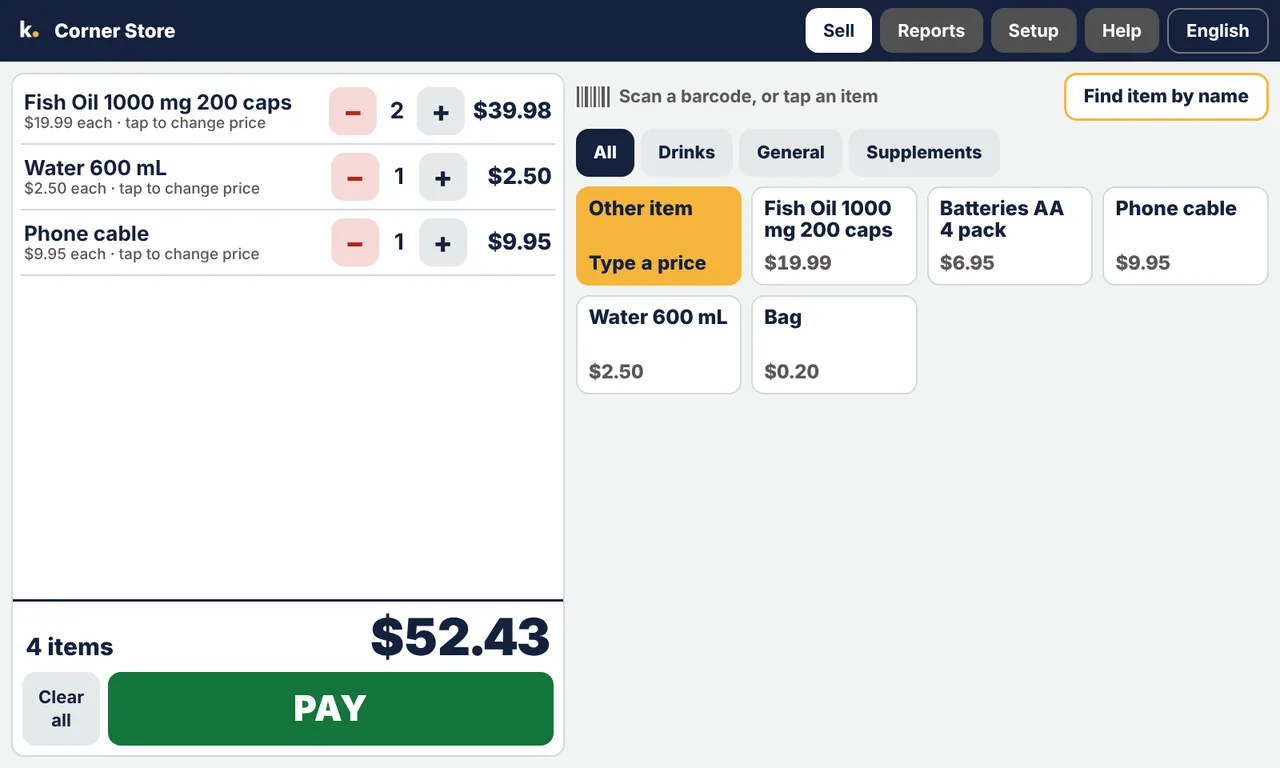
Try it here. Tap an item, then tap PAY.
What it does
Big buttons, big numbers
Made for people who don't want to squint. The total is the largest thing on the screen.
Four languages
English, 中文, 한국어 and Tiếng Việt. Change it with one tap, any time.
Scan and sell
Scan a barcode and the item is in the sale. A new barcode? Type its name and price once and the till remembers.
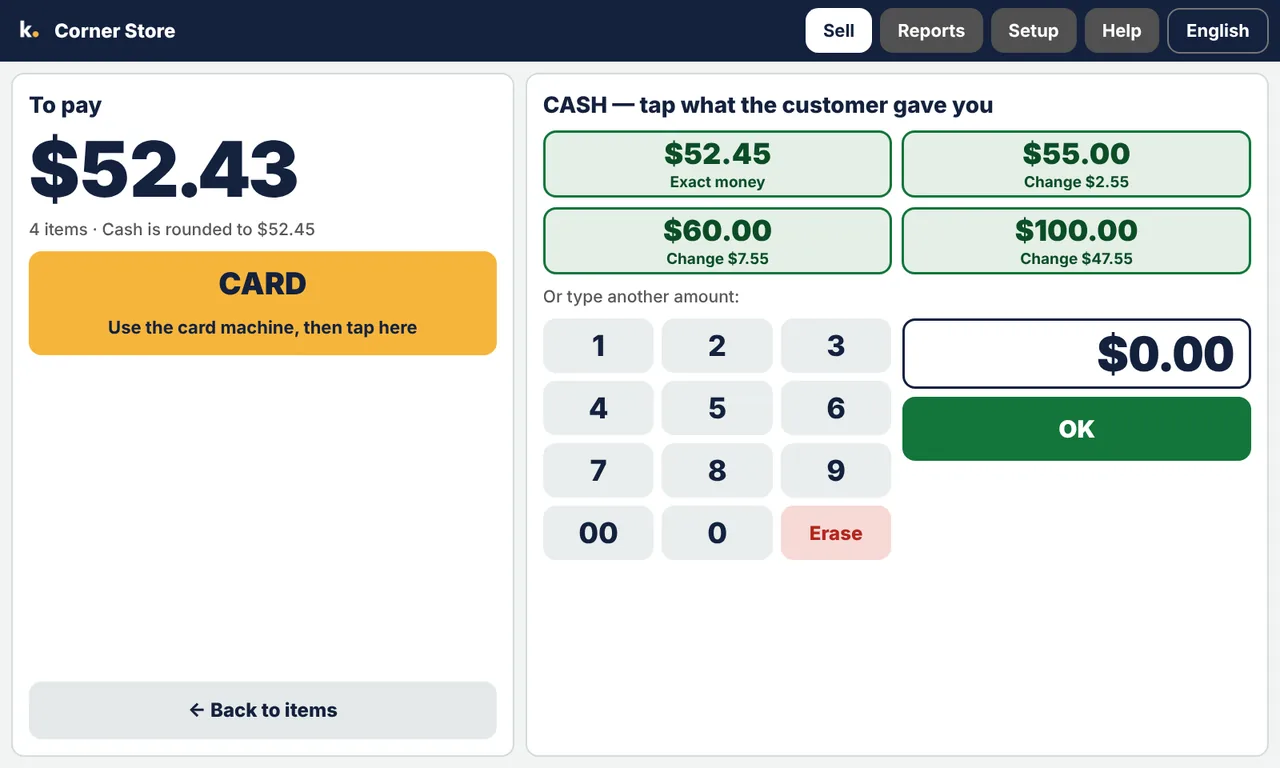
It works out the change
Tap the note the customer handed you. The till shows the change in large numbers.
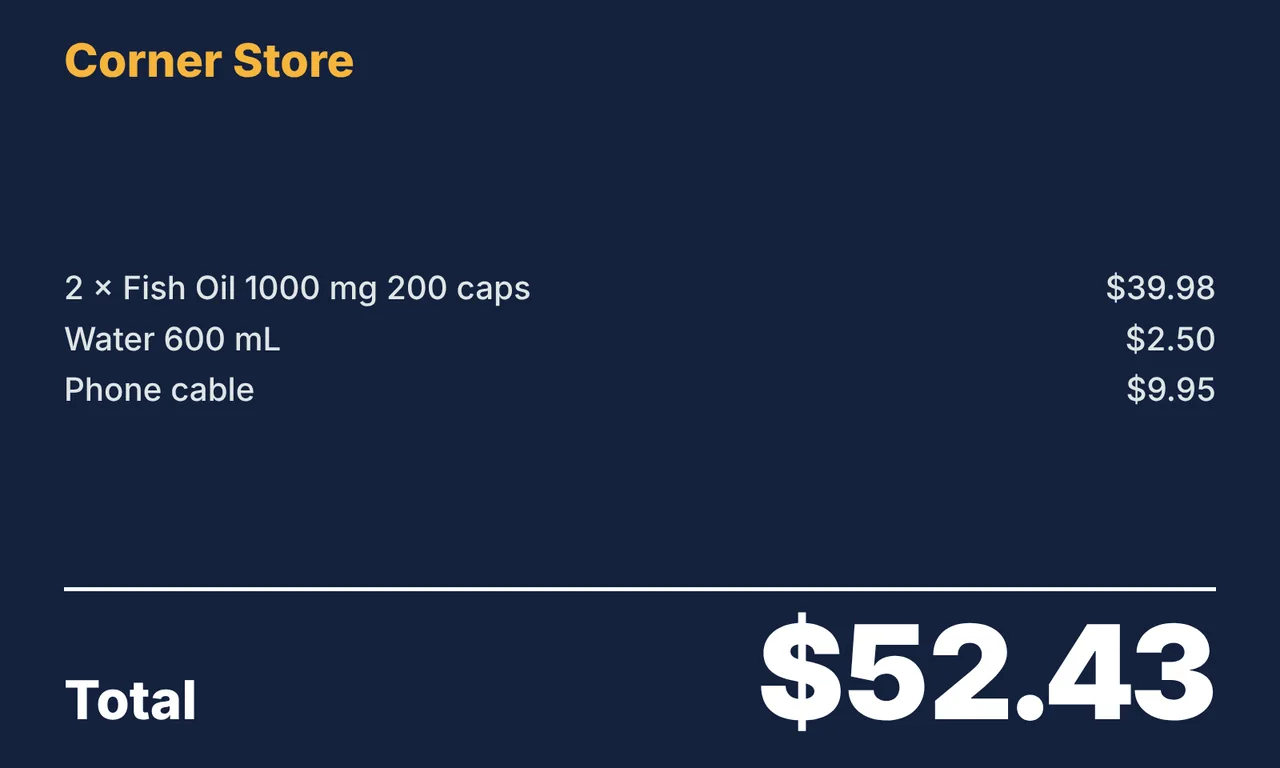
A screen for your customer
The customer sees each item, the total and their change on their own screen.
Receipts and daily totals
Tax invoices with GST. Cash and card totals for today, this week, this month or this quarter.
Discounts and refunds
Change a price for one sale, or refund an item. A manager PIN keeps both in the right hands.
Your records are backed up
The till copies your items and sales to Kolo by itself. If the till breaks, we put them back on a new one.
It keeps itself up to date
When there is a new version, the till tells you. A tap or two installs it.
Keep the card machine you already have.
Kolo POS works beside it. We take no percentage of your sales.
See it
How you get started
Get the till
Buy the terminal from us, or use an iMin D4 you already have. Plug in a barcode scanner.
Add your items
Scan each item once and type its name and price, or load a list. The Help screen shows how, in your language.
You sell, we look after it
Backups and updates happen by themselves. If you need a hand, email us.
Questions shop owners ask
Do I need the internet?
The till keeps selling if the internet drops. It needs to connect at least once every two weeks for backups, updates and its licence.
Which machine does it run on?
An all-in-one counter terminal, the iMin D4, with a large touch screen, a customer screen and a built-in receipt printer. You add a barcode scanner.
Can I try it first?
Yes. It runs free for 30 days. You can also open the till in a web browser on a computer or tablet to look around. Open the till
What language is support in?
The till and its Help screen are in English, Chinese, Korean and Vietnamese. Support is by email, in English, Monday to Friday. We aim to reply within 3 to 5 business days.
What if the till breaks or is stolen?
Your items and sales are backed up. We give you a code, you type it into the new till, and your records come back.
Does it take card payments?
You keep using your own card machine. You type the amount into it, then tap CARD on the till.
How much is it?
It depends on your shop. Send us a message and we will give you a price.
Talk to us
We are Kolo Australia, in Sydney. Send us a message and we will reply, in English, within 3 to 5 business days.